
QGet Remote1.7.2 - App Store
You'll be able to see results in few seconds.
Publisher Description
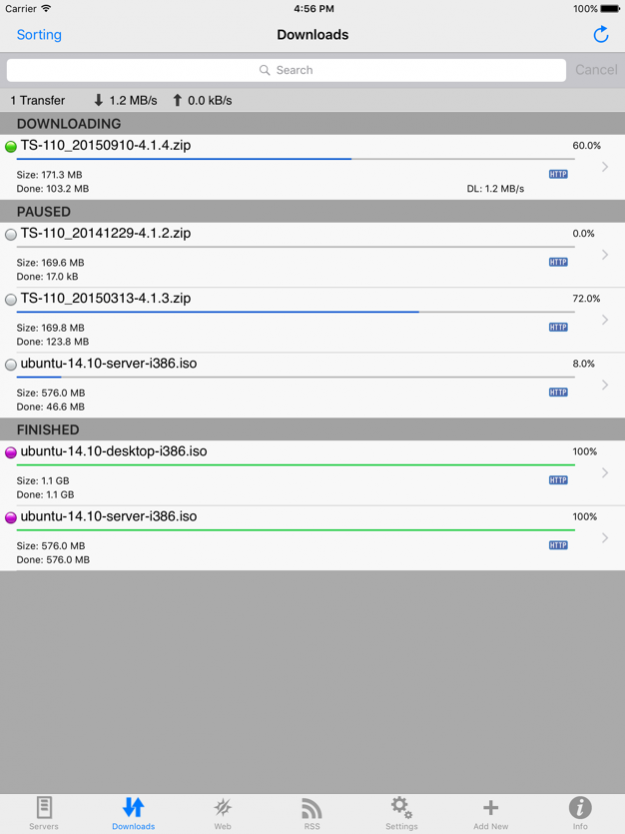
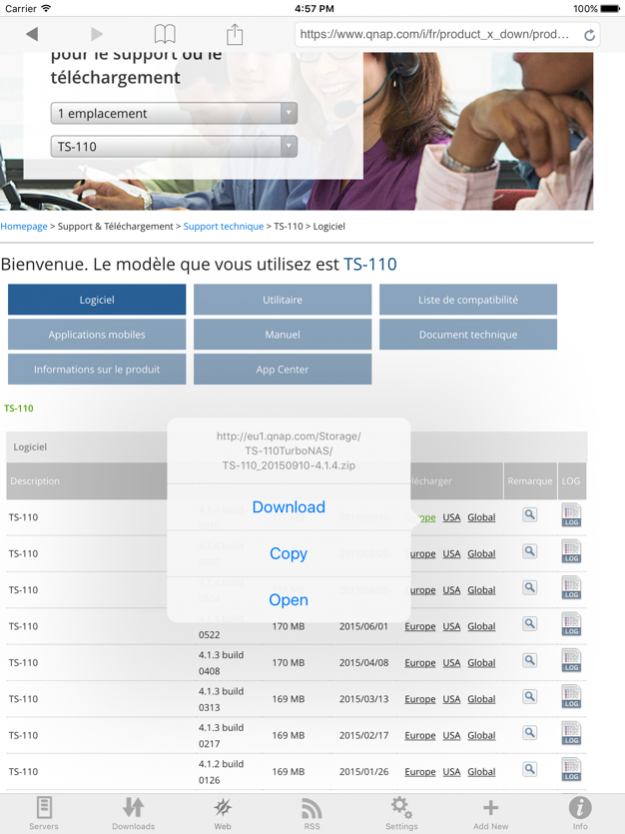

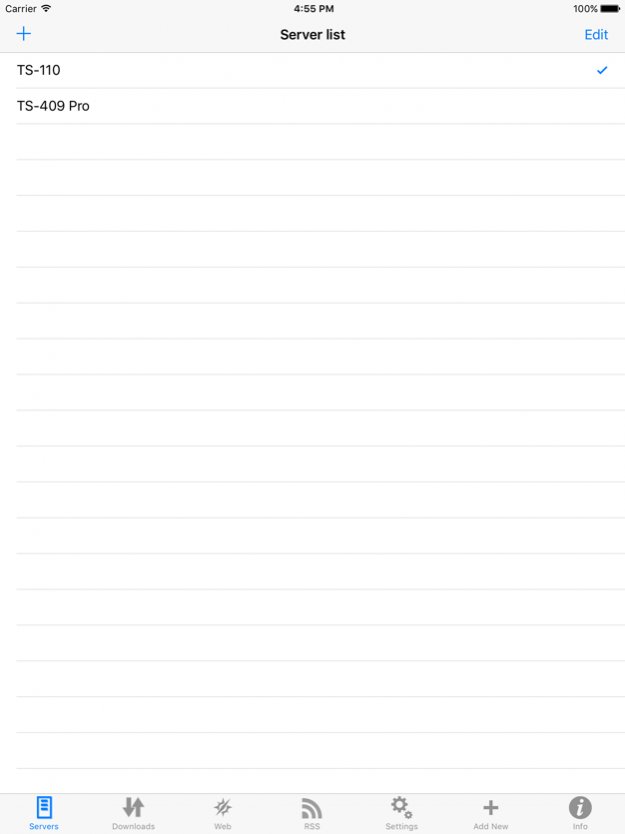
QGet Remote is an iPhone/iPod Touch/iPad native QGet client.
Thanks to Qget Remote, you'll be able to add some download tasks on your QNAP server while you're away (on holidays, at work ...) and when you'll be back at home, the files will be available on your server !
It will allow you to add any download task to your QNAP NAS server !
! Hint !
Some people are wondering how to remove servers or bookmarks from list ! The answer is : just swipe from left to right to delete !
Feature list :
- Supports old firmwares (for TSx01 devices) to latests firmwares (QTS 4.2 with download station 3)
- Full control of server configuration !!! You can enable/disable the server and configure it (max speed/max simultaneous download tasks ...)
- Configure several servers and choose the one to connect to
- Support standard and SSL connections with IPv4 & IPv6 support
- Show the list of download tasks running on the server
- Sort the download tasks by status, name, progress or size
- Change downloading task priority by long tapping on it
- You can filter (search) in your download task
- You can hide finished task
- You can start/pause your download tasks, delete task or delete data
- You can see details about the download task and configure options
- Auto refresh feature
- You can add a download task from URL (and can use a specific Folder/username/password)
- You can use the embedded browser to browse to some files and tap on a download link to add a download task on your server (Browser is featuring bookmark support !)
- You can use the RSS feeds reader to add downloads
- Supports Hotfile and put.io download sites
- Compatible with socks and http proxy connections
- Nice iPhone look&feel with Pull to refresh feature and swipe to delete
- Landscape mode
- Compatible with iOS7+ devices
It's really the application you need to fully use your QNAP device !
Jan 9, 2016 Version 1.7.2
This app has been updated by Apple to display the Apple Watch app icon.
Fix issue with SSL connection
Fix crash when deleting a task from details view
Fix issues with Download Station 1
About QGet Remote
The company that develops QGet Remote is Sylver Bruneau. The latest version released by its developer is 1.7.2.
To install QGet Remote on your iOS device, just click the green Continue To App button above to start the installation process. The app is listed on our website since 2016-01-09 and was downloaded 0 times. We have already checked if the download link is safe, however for your own protection we recommend that you scan the downloaded app with your antivirus. Your antivirus may detect the QGet Remote as malware if the download link is broken.
How to install QGet Remote on your iOS device:
- Click on the Continue To App button on our website. This will redirect you to the App Store.
- Once the QGet Remote is shown in the iTunes listing of your iOS device, you can start its download and installation. Tap on the GET button to the right of the app to start downloading it.
- If you are not logged-in the iOS appstore app, you'll be prompted for your your Apple ID and/or password.
- After QGet Remote is downloaded, you'll see an INSTALL button to the right. Tap on it to start the actual installation of the iOS app.
- Once installation is finished you can tap on the OPEN button to start it. Its icon will also be added to your device home screen.
Program Details
System requirements
Download information
Pricing
Version History
version 1.7.2
posted on 2016-01-09
Jan 9, 2016 Version 1.7.2
This app has been updated by Apple to display the Apple Watch app icon.
Fix issue with SSL connection
Fix crash when deleting a task from details view
Fix issues with Download Station 1
version 1.7.2
posted on 2016-01-09
Jan 9, 2016 Version 1.7.2
This app has been updated by Apple to use the latest Apple signing certificate.
Fix issue with SSL connection
Fix crash when deleting a task from details view
Fix issues with Download Station 1
version 1.7.2
posted on 2016-01-09
Jan 9, 2016 Version 1.7.2
Fix issue with SSL connection
Fix crash when deleting a task from details view
Fix issues with Download Station 1
version 1.7.2
posted on 2010-07-05
version 1.7.2
posted on 1970-01-01
2016年1月9日 Version 1.7.2
Fix issue with SSL connection
Fix crash when deleting a task from details view
Fix issues with Download Station 1
Disclaimer
Official App Store Link
We do not host QGet Remote on our servers. We did not scan it for viruses, adware, spyware or other type of malware. This app is hosted by Apple and passed their terms and conditions to be listed there. We recommend caution when installing it.
The App Store link for QGet Remote is provided to you by apps112.com without any warranties, representations or guarantees of any kind, so access it at your own risk.
If you have questions regarding this particular app contact the publisher directly. For questions about the functionalities of apps112.com contact us.
